











Are you looking at purchasing a new tablet for drawing? In recent years, drawing tablets have become a tool that both beginners and professional artists can benefit from. They offer a natural, paper-like feel that makes sketching, painting, and digital illustration more intuitive than ever.
However, not all drawing devices are the same. Many people often confuse drawing tablets and graphic tablets.
In reality, a graphic tablet is a type of drawing tablet.
In this guide, we will explain clearly:
● What is a drawing tablet
● The three main types of drawing tablets
● What is a graphic tablet (and how it's different from other types)
● How to choose the right type for your needs
● Popular drawing tablets in 2025 and who they're best for
Whether you're upgrading your creative setup or buying your first drawing device, this guide will help you choose confidently.
What is a Drawing Tablet?
A drawing tablet refers to any digital device that allows you to draw with a stylus. Under this category, there are three mainstream types:
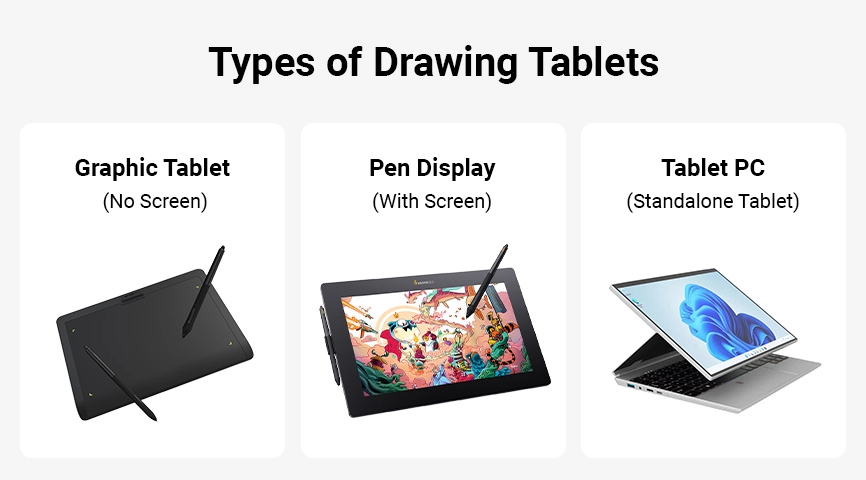
1. Graphic Tablet (Non-Screen Drawing Tablet / Pen Tablet)
You draw on a solid surface while watching a separate monitor.
2. Pen Display (Drawing Tablet with a Screen / Display Tablet)
You draw directly on a built-in screen.
3. Tablet PC (Standalone Tablet)
A self-contained device that functions as both a computer and a drawing device, examples include the iPad, Galaxy Tab, and Surface Pro. So when people say "drawing tablet," they might be referring to any of these three, depending on context.
Type 1: What is a Graphic Tablet (Non-Screen Drawing Tablet)?
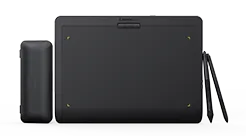
A graphic tablet also called a pen tablet or drawing tablet without a screen, is a device that requires a separate monitor. You draw on the tablet's surface, and the pen strokes appear on your computer screen.
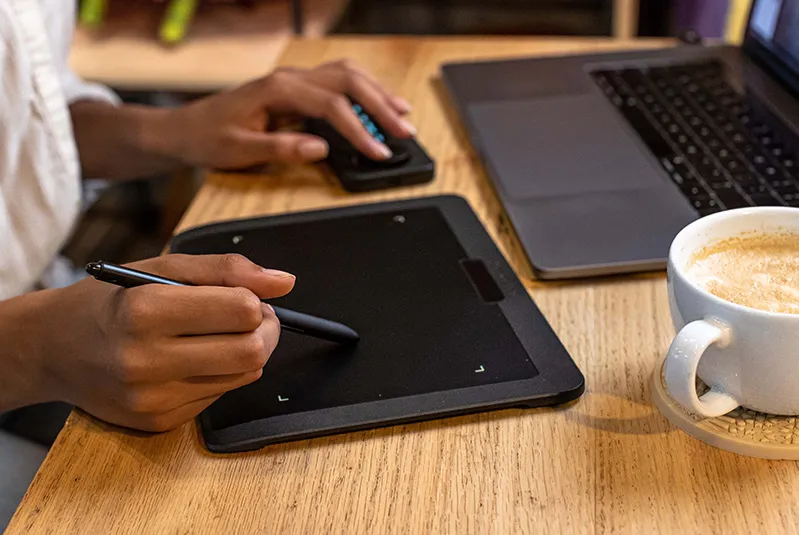
Basic Features
● Stylus/Pen: A stylus/pen for digital drawing and design that supports pressure sensitivity and tilt detection, allowing you to naturally control line thickness, opacity, and stroke direction. Some models also come with customizable shortcut buttons for quickly switching between brushes, erasers, or other frequently used tools, improving your workflow.
● Pressure Sensitivity: Allows for a varied line thickness from the lightest touch to the boldest stroke and opacity based on the pressure on the stylus.
If you prefer light, delicate strokes and have less wrist strength especially when sketching, adding details, or blending colors, a lower starting pressure makes it easier to control the line thickness.
If you like making bold strokes or working on larger-scale drawings, adjust the starting pressure according to your drawing habits through the tablet settings (most graphic tablets have their own driver, allowing you to adjust this setting) or stylus types.
● Tilt Sensitivity: Detects the angle of the stylus for dynamic brush strokes.
● Pen Resolution (LPI) : Refers to how precisely a tablet can detect the position of the stylus. LPI (Lines Per Inch) measures how many distinct points the tablet can sense within one inch. The higher the pen resolution (LPI), the more accurately the tablet tracks your pen movements, resulting in smoother and more precise lines when you draw.
● Active Area: The drawing space on a graphic tablet is larger, allowing for more detailed work.
● Shortcut/Express Keys (optional): Refers to the customizable physical buttons for shortcuts or actions like undo, zoom, or switch between tools.
*Not all graphic tablets include shortcut keys.
● Connectivity via USB/Bluetooth
● Compatibility: Windows, macOS, Linux, Android, and major creative software (Photoshop, CSP, Blender, ZBrush, Krita)
Application Areas
● Digital Art and Illustrations: For creating detailed digital artwork.
● Graphic Design: Used in logo creation, typography, and graphic elements.
● Animation: For frame-by-frame animation, character design, and storyboards.
● Photo Editing: For precise retouching and editing.
● 3D Modeling: For sculpting and detailing 3D models.
Advantages
● Natural Drawing Experience: Feels like traditional drawing tools.
● Increased Precision: High resolution and pressure sensitivity.
● Efficiency: Customizable keys and multi-touch streamlined and for a streamlined workflow.
● Versatility: Suitable for various artistic and professional tasks.
● Portability: Lightweight and easy to carry.
Type 2: What is a Pen Display (Drawing Tablet with a Screen)?
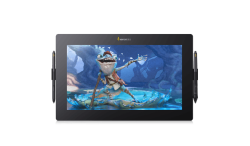
A pen display, sometimes called a display tablet, includes a built-in display so you can draw directly on the screen surface. This creates a natural, intuitive experience similar to drawing on paper.
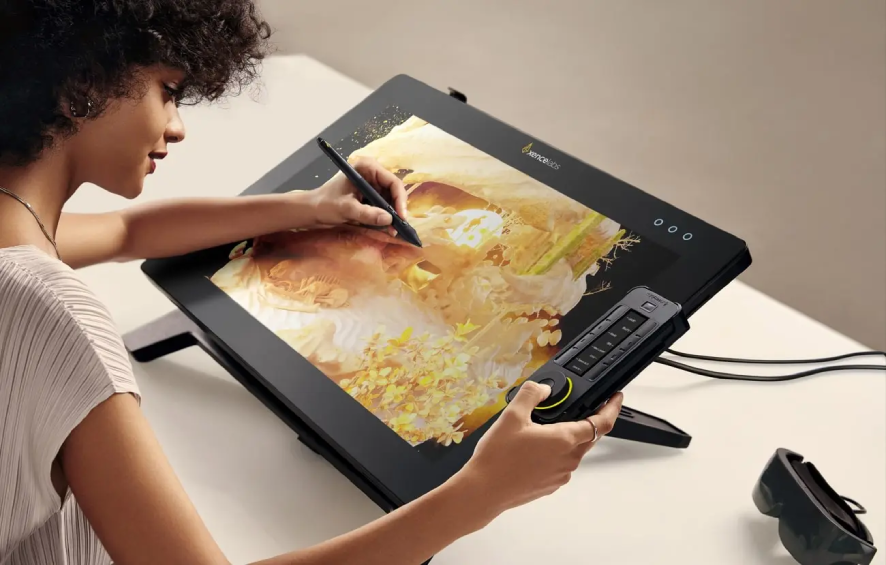
Advantages
● Direct on-screen drawing
● More intuitive for beginners
● Precise, immersive experience
● Ideal for professional illustrators and digital painters
Drawbacks
● More expensive than non-screen tablets
● Heavier and less portable (compared to pen tablets)
● Usually requires connection to a computer (except standalone models)
Type 3: What is a Tablet PC?
A Tablet PC (e.g., iPad Pro, Galaxy Tab, Surface Pro)
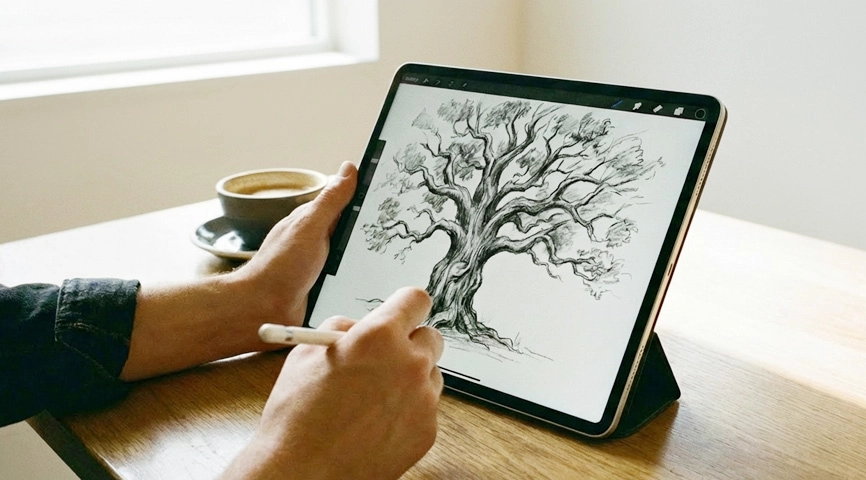
● Works as a standalone device
● Supports styluses like Apple Pencil or S Pen
● Suitable for drawing + productivity + entertainment
They are great for artists who want to draw anywhere without carrying a laptop.
Comparison: Different Types of Drawing Tablets
| Feature | Graphic Tablet (No Screen) | Pen Display (With Screen) | Tablet PC (Standalone) |
|---|---|---|---|
| Built-in Screen | No | Yes | Yes |
| Requires Computer | Yes | Usually Yes | No |
| Price Range | $100–$300 | $500–$2000 | $300–$2500 |
| Best For | Beginners, students, hobbyists | Artists, illustrators, professionals | Mobile creators |
| Drawing Experience | Indirect (eye-hand coordination) | Direct, natural | Direct but software-limited |
| Portability | High | Medium | High |
How to Choose the Right Type of Drawing Tablet
1. For Note-taking
A graphic tablet (non-screen) is affordable, portable, and perfect for school or work.
2. For Digital Art
A pen display offers the most natural drawing experience.
3. For Photo Editing
Both graphic tablets and pen displays work well, but retouchers often prefer pen displays for the precision of on-screen adjustments.
4. For Travel or Mobile Use
A Tablet PC is the best all-in-one option.
5. Budget Considerations
● Tight budget → choose a graphic tablet
● More budget & want direct, on-screen drawing → choose a pen display
● All-in-one device → choose tablet PC
Popular Drawing Tablets in 2025 (Hot Picks)
Below are some strong options from Xencelabs, well-regarded for build quality, pen performance, and artist-focused design.
Best Graphic Tablets (Non-Screen)
⭐Xencelabs Pen Tablet Small
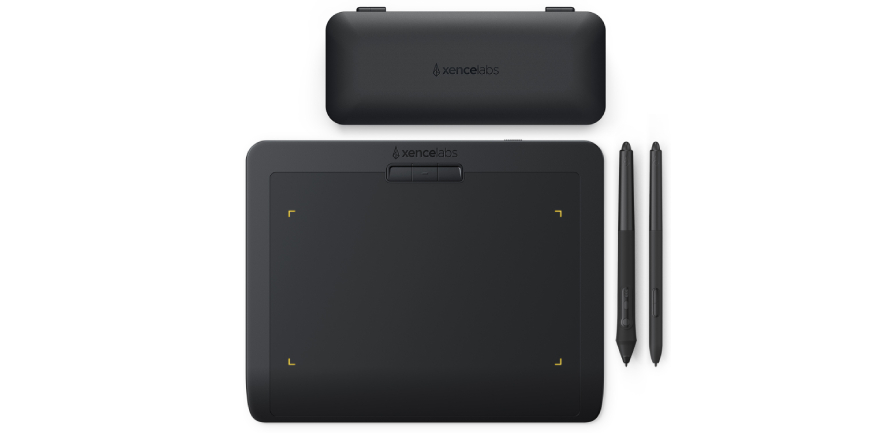
The Xencelabs Pen Tablet Small delivers a streamlined design that prioritizes workflow, comfort, and intuitive use in a portable, compact size. If you are looking for an entry-level drawing tablet with stylus, Xencelablet Pen Tablet Small is a great choice.
● Compact, portable
● Precise, finely tuned pressure curve
● Great for beginners
Product dimensions: 234.2 x 184.7 x 8 mm / 9.21 x 7.27 x 0.3 in
Drawing area: 176.1 x 99.05 mm / 6.93 x 3.89 in
Price: $104.99 USD
Early Black Friday Drawing Tablet Deals: Go to Xencelabs'official e-store to see this year's Black Friday deal!
⭐Xencelabs v2 Pen Tablet Medium Series
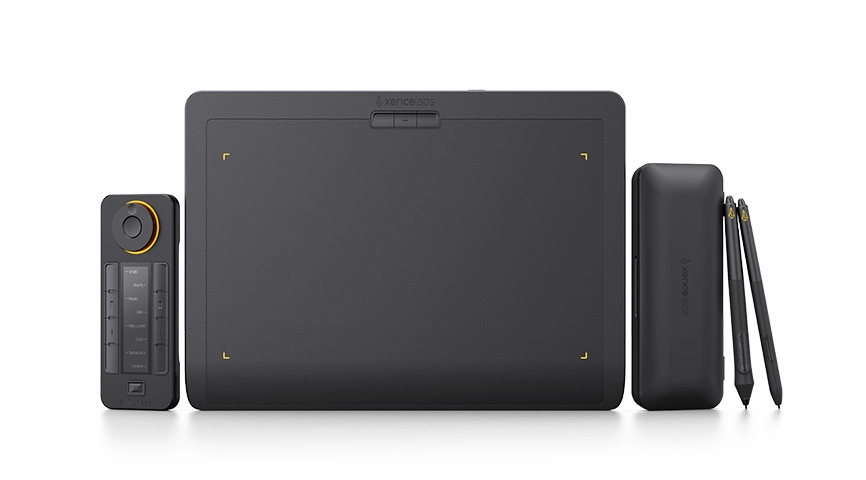
Designed with the input of industry-leading artists, Xencelabs v2 Pen Tablets deliver a streamlined design that prioritizes workflow, comfort, and intuitive use. The Pen Tablet Medium Bundle v2 and Bundle SE v2 include the Quick Keys and additional accessories and tools, providing a cost effective, efficient, and natural drawing experience.
Quick Summary for Xencelabs v2 Pen Tablet Medium Series Features:
● A natural drawing experience with 3 g initial activation pressure and ±60° pen tilt
● Two v2 Pens with different grips, shortcuts, and erasers
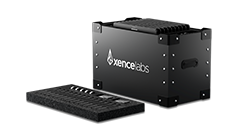
● Quick Keys remote with up to 44 customizable shortcuts per application
● HP Anyware® compatibility for remote work
● Stable Bluetooth 5.0 connection with up to 16 hours of wireless creation
● Ergonomic 6.5° sloped palm rest to reduce wrist fatigue
● Thin, streamlined 8 mm design for portability
● Large 16:9 drawing area for comfortable work
● Includes all the accessories needed for a complete workflow
● Highly compatible with Windows, macOS, and Linux support
The v2 Pen Tablet Series comes in three packages: Pen Tablet Medium v2, Medium Bundle v2, and Medium Bundle SE v2.
Product dimensions: 320.5 x 232.5 x 8 mm / 12.6 x 9.16 x 0.3 in
Drawing area: 262.4 x 147.4 mm / 10.33 x 5.8 in
Price:
Pen Tablet Medium v2: $249.99 USD
Pen tablet Medium Bundle v2: $329.99 USD
Pen Tablet Medium Bundle SE v2: $329.99 USD
Early Black Friday Drawing Tablet Deals: Go to Xencelabs'official e-store to see this year's Black Friday deal!
Best Pen Displays (Screen Tablets with a Screen)
⭐Xencelabs Pen Display 16 Lite (Newest Xencelabs Pen Display Release)
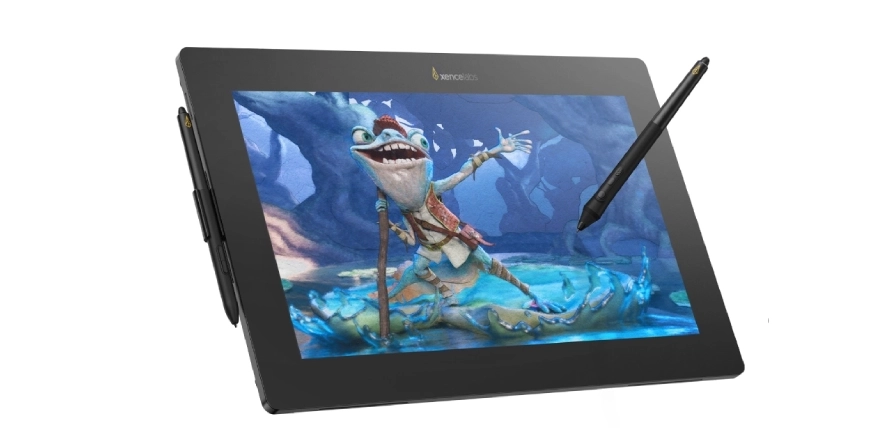
Experience the newly released Pen Display 16 Lite. The 16-inch 4K OLED display delivers 1.07 billion colors and a high contrast ratio of 100,000:1. It offers precise pen control, a slim 12 mm profile, and single USB-C connection, ideal for illustrators and digital creators on the move.
Quick Summary of Xencelabs Pen Display 16 Features:
● 4K OLED Display: 3840×2160 resolution, 1.07 billion colors, 100,000:1 contrast ratio, high color space coverage for accurate, color reproduction.
● Super AG Etching™ technology: Reduces screen reflections and provides a clear, distraction-free view, even in well-lit rooms or where there are ceiling lights. The etched surface provides a natural pen-and-paper feel.
● Finely Tuned Pen Pressure Curve: It has an initial activation force of 3 g, allowing for delicate strokes as well as strong, bold lines. Pen response is adjustable to match any drawing style.
● Ultra-thin Portable Design: 12 mm thin and 2.67 lbs (1.2 kg) light with single USB-C cable connectivity, making it easy to carry and transport to various working environments.
● Two v2 Pens with Different Grips
● Virtual Tablet Modes™: Seamlessly control multiple monitors with customizable overlay for personalized workflow.
● Highly Compatible: Supports Windows® 7+, Windows® 11 ARM64, macOS 10.13+, and Linux (driver download requires internet).
Product dimensions: 410 x 259.4 x 12 mm / 16.1 x 10.2 x 0.47 in
Drawing area: 344.2 x 193.6 mm / 13.55 x 7.6 in
Price:
$799 USD
Early Black Friday Drawing Tablet Deals: Go to Xencelabs'official e-store to see this year's Black Friday deal!
In comparison to Pen Display 16 Lite, ⭐The Pen Display 16 Bundle comes with the Mobile Easel, Xencelabs Hub and Power Adapter, Quick Keys, Carrying Case, and additional cables.
Compare Pen Display 16 Packages
⭐Xencelabs Pen Display 24 / 24+
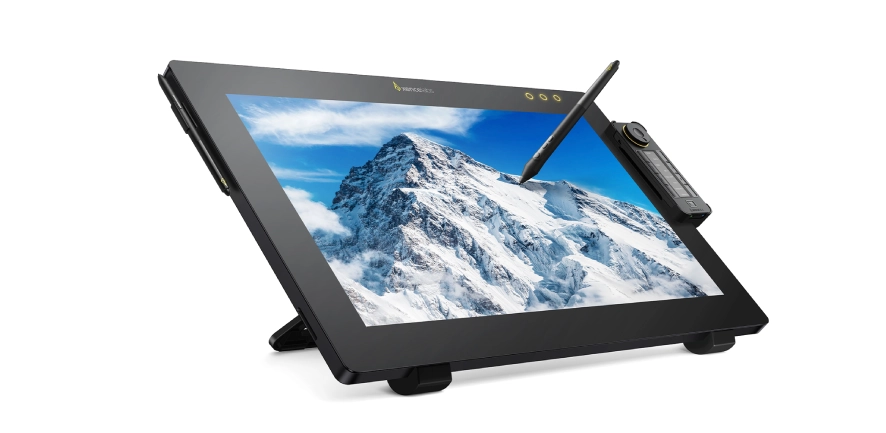
Xencelabs Pen Display 24 and 24+ deliver a pen-on-paper feel with an etched surface and an optically bonded screen that minimizes parallax for accurate drawing.
Quick Summary for Xencelabs Pen Display 24/24+ Features:
● Natural paper-like feel with superior anti-glare technology
● Industry-first Pen Display with Calman Ready Built-in
Deliver accurate, fast, and reliable color calibration (Pen Display 24+ only)
● Ultra-responsive Pen Performance
With 8192 pressure levels, 3g initial activation force, and ±60° tilt, every pen stroke feels natural from heavy shading to the finest details.
● Two v2 Pens Included
Choose the Pen that fits your grip and workflow. Switch between them instantly for different comfort preferences and shortcut needs for full creative freedom in the palm of your hand.
● Create Anywhere with Remote Access
HP Anyware® (Pen Display 24+ only) and Parsec let you access your workstation from anywhere, so you can work remotely without losing performance.
● Stunning 4K Ultra HD 23.8" Display
A large canvas with 3840 × 2160 resolution and 1.07 billion colors ensures exceptional clarity and lifelike detail for every project.
● Exceptional, Professional-Grade Color
Supports 5 industry-standard color spaces,Pantone® & Skintone™ for true-to-life, reliable color accuracy.
● Virtual Tablet Mode™
Turn multiple monitors into one seamless workspace and navigate it all using just the v2 Pen, allowing you to work faster and stay fully immersed.
● Quick Keys with OLED Screen
Your productivity booster: 44 customizable shortcuts per application to speed up workflows and keep your tools easily accessible.
● Highly Compatible & Easy to Set Up
Works across systems and software. Simply download the Xencelabs driver (internet required) and you're ready to create.
Product dimensions: 618.50 x 388.00 x 34.70 mm (24.4 x 15.3 x 1.4 in)
Drawing area: 527.04 × 296.46 mm (20.75 x 11.7 in)
Price:
$1799-1899 USD
Early Black Friday Drawing Tablet Deals: Go to Xencelabs'official e-store to see the surpring price for Black Friday Deal. this year's Black Friday deal!
A graphic tablet is not separate from a drawing tablet, it is one of the three main types of drawing tablets.
● If you want affordability and precision → choose a graphic tablet (non-screen)
● If you want the most natural drawing experience → choose a pen display (screen)
● If you want portability and an all-in-one device → choose a tablet PC
No matter your budget or skill level, there is a drawing tablet that will suit your needs and help elevate your creativity.
For early Black Friday deals, visit the official Xencelabs e-store and subscribe to the newsletter for updates.