센스랩 웹사이트에 오신 것을 환영합니다.
국가 또는 지역을 선택하여 귀하의 위치에 적용되는 콘텐츠를 설정하세요.
 국가 또는 지역




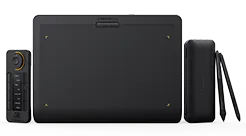
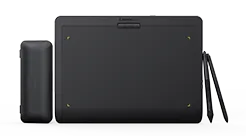
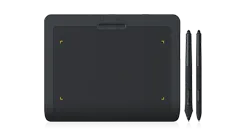


recommend
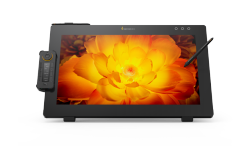
- Pen Display 24
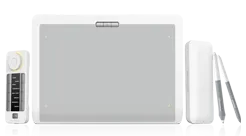
- Pen Tablet Medium
센스랩 웹사이트에 오신 것을 환영합니다.
국가 또는 지역을 선택하여 귀하의 위치에 적용되는 콘텐츠를 설정하세요.
드라이버 다운로드
Xencelabs 드로잉 제품의 최적 성능을 보장하기 위해 컴퓨터 운영 체제와 호환되는 최신 드라이버를 다운로드하십시오. 이 페이지에서 제공하는 범용 드라이버는 Xencelabs 드로잉 태블릿, 펜 디스플레이 및 퀵 키 리모컨에 적합하며 Windows 및 macOS와 같은 주요 운영 체제를 완벽하게 지원합니다.
컴퓨터 운영 체제에 해당하는 버전을 선택하고 아래의 자세한 지침에 따라 설정을 완료하십시오. 도움이 필요하시면 [문의하기] 섹션을 방문하여 저희에게 연락하실 수 있습니다.

이전 버전 드라이버
macOS
XencelabsMac_1.2.1-43
1.2.1-43 Macintosh Release Notes_EN
지원 버전: macOS 10.12 and newer
게시 된 날짜: 07/03/2023
macOS
XencelabsMac_1.2.1-40
1.2.1-40 Macintosh Release Notes_EN
지원 버전: macOS 10.12 and newer
게시 된 날짜: 26/12/2022
macOS
XencelabsMac_1.2.1-31
1.2.1-31 Macintosh Release Notes
지원 버전: macOS 10.12 and newer
게시 된 날짜: 30/08/2022
macOS
XencelabsMac_1.2.1-18
1.2.1-18 Macintosh Release Notes
지원 버전: macOS 10.12 and newer
게시 된 날짜: 01/03/2022
macOS
XencelabsMac_1.1.0-8
1.1.0-8 Macintosh Release Notes
지원 버전: macOS 10.12 and newer
게시 된 날짜: 03/12/2021
macOS
XencelabsMac_1.1.0-3
1.1.0-3 Macintosh Release Notes
지원 버전: macOS 10.12 and newer
게시 된 날짜: 28/07/2021

현재 Windows 드라이버에서 Parsec가 지원됩니다.
이전 버전 드라이버
Windows
Windows
Windows
Windows

XencelabsWin_Arm_64_1.3.4-75
지원 버전:
Windows 11 and newer
게시 된 날짜: 27/09/2024

Xencelabslinux_1.3.4-26
지원 버전:
게시 된 날짜: 27/06/2024
이전 버전 드라이버
Linux
Linux
Linux
XencelabsLinux_1.2.1-11
1.2.1-11 Linux Installation Instructions
지원 버전: Supported Linux platforms
게시 된 날짜: 27/05/2022
Linux
XencelabsLinux_1.1.0-2
1.1.0-2 Linux Installation Instructions
지원 버전: Supported Linux platforms
게시 된 날짜: 11/11/2021
베타 버전
RC (Release Candidate) 드라이버는 소프트웨어 릴리스 노트에 설명된 대로 추가 및 수정 사항을 테스트하기 위한 것입니다. 이러한 드라이버는 내부적으로 테스트 완료하였지만 사용자 환경에 따라 불안정성 또는 버그가 있을 수 있습니다.
문제가 발생한 경우 당사에게 보고해 주시기 바랍니다. 가장 안정적으로 사용하기 위해 여기를 클릭하여 테스트를 거치고 정식 릴리스된 드라이버를 사용하십시오.
Xencelabs에 문제를 보고할 때 다음 정보를 포함하여야 합니다.
Xencelabs 제품 명칭
시스템 프로세서 명칭
운영 체제 버전
Xencelabs 드라이버 버전
이 문제가 발생 시 소프트웨어의 명칭 및 버전
문제 재현을 위한 구체적인 절차
화면을 캡처한 이미지 제공(가능한 경우)
문제는 online.support@xencelabs.com으로 이메일을 보내주십시오.
RC 드라이버 면책 성명:
RC 드라이버 소프트웨어에 버그가 있을 수 있습니다. RC 드라이버를 제공하는 주요 목적은 사용자가 사용자 환경에서 드라이버에 뚜렷한 버그가 있는지 테스트하고 이러한 버그를 Xencelabs에 보고하는 데 있습니다. 엄격한 시간제약이 있는 프로젝트에 RC 드라이버를 사용하지 마십시오.
Linux
HP Anywhere에서 드라이버를 사용하려면 CustomerCare@Xencelabs.com로 연락하세요.

macOS, Windows 또는 Linux 중에서 선택하여 운영체제에 적합한 드라이버를 다운로드하십시오.

드라이버를 찾으면 다운로드를 클릭하여 프로그램 설치를 시작하십시오.

다운로드가 완료된 후 드라이버 설치 프로그램을 실행하고 설정 마법사를 시작한 다음 새 타블렛 사용을 시작하십시오.
Xencelabs 드로잉 도구의 최상의 성능과 호환성을 보장하기 위해, 최신 펌웨어를 다운로드하여 설치할 것을 권장합니다.
정기적인 펌웨어 업데이트는 안정성을 향상시키고, 알려진 문제를 수정하며, 더 나은 드로잉 경험을 위한 새로운 기능을 제공할 수 있습니다. 도구를 다운로드하기 전에 펌웨어 업데이트 지침을 읽어주세요.
© 2026 Xencelabs Technologies Ltd. All Rights Reserved.